
What makes an iPhone document scanner private?
A private document scanner minimizes unnecessary transmission and makes every destination understandable. Look for on-device OCR, no required developer account, no advertising or cross-app tracking, a clear explanation of analytics, preserved originals, explicit export and sync controls, and a documented deletion path. “On-device” describes where recognition runs; it does not mean a document can never leave the phone. iCloud backup, optional sync, Apple's share sheet, email, Files destinations, and device management can each create or move a copy under their own settings.
Privacy checklist before scanning sensitive paper
- Confirm whether OCR and field extraction run locally or on a remote server.
- Check whether an account, advertising SDK, analytics SDK, or cross-app tracking is required.
- Review Camera, Photos, Contacts, Reminders, Face ID, and Files permissions individually.
- Find where originals, recognized text, thumbnails, exports, and recently deleted items are stored.
- Understand device backup and optional iCloud Drive behavior before enabling sync.
- Verify that deletion covers the app record, local source copy, generated files, and recoverable trash period.
A 60-second privacy test for any scanner app
Before scanning a passport, tax record, invoice, or medical letter, turn on Airplane Mode and capture a harmless sample page. Check whether OCR, search, review, deletion, and PDF export still work. Then inspect the app's privacy label, permission prompts, account requirement, backup behavior, and sync controls. Offline operation is useful evidence, but it does not prove that every future feature or user-initiated export stays offline.
| Question | What a clear answer should identify |
|---|---|
| Where does recognition run? | On the iPhone, on a named service, or through both paths. |
| Where is the source stored? | The app container, Files, a provider cloud, or an optional sync location. |
| What can leave the device? | Exports, shares, backups, diagnostics, analytics, and synchronized copies. |
| Can you verify and delete it? | The original, OCR text, suggested fields, generated files, and recoverable trash. |
Why should the original document remain reviewable?
OCR can substitute characters, reorder columns, merge fields, or miss faint text. A preserved original lets you compare totals, dates, names, account numbers, warnings, and identifiers before filing or acting. A scanner should distinguish the source image from recognized text and suggested fields instead of replacing the source with an unverified interpretation.
What ScanMind can and cannot do
ScanMind performs current OCR, classification, and supported field extraction on the iPhone. It requires no ScanMind account and uses no advertising or cross-app tracking SDK. Documents remain in the app container by default, but they can leave when you export, share, enable optional iCloud Drive sync, or use device backup. ScanMind cannot guarantee OCR accuracy, certify a document, verify legal or medical meaning, or control a copy after you send it to another destination.
Read the full ScanMind privacy policy and Apple's guidance on controlling app access to information.
What does review look like in ScanMind?
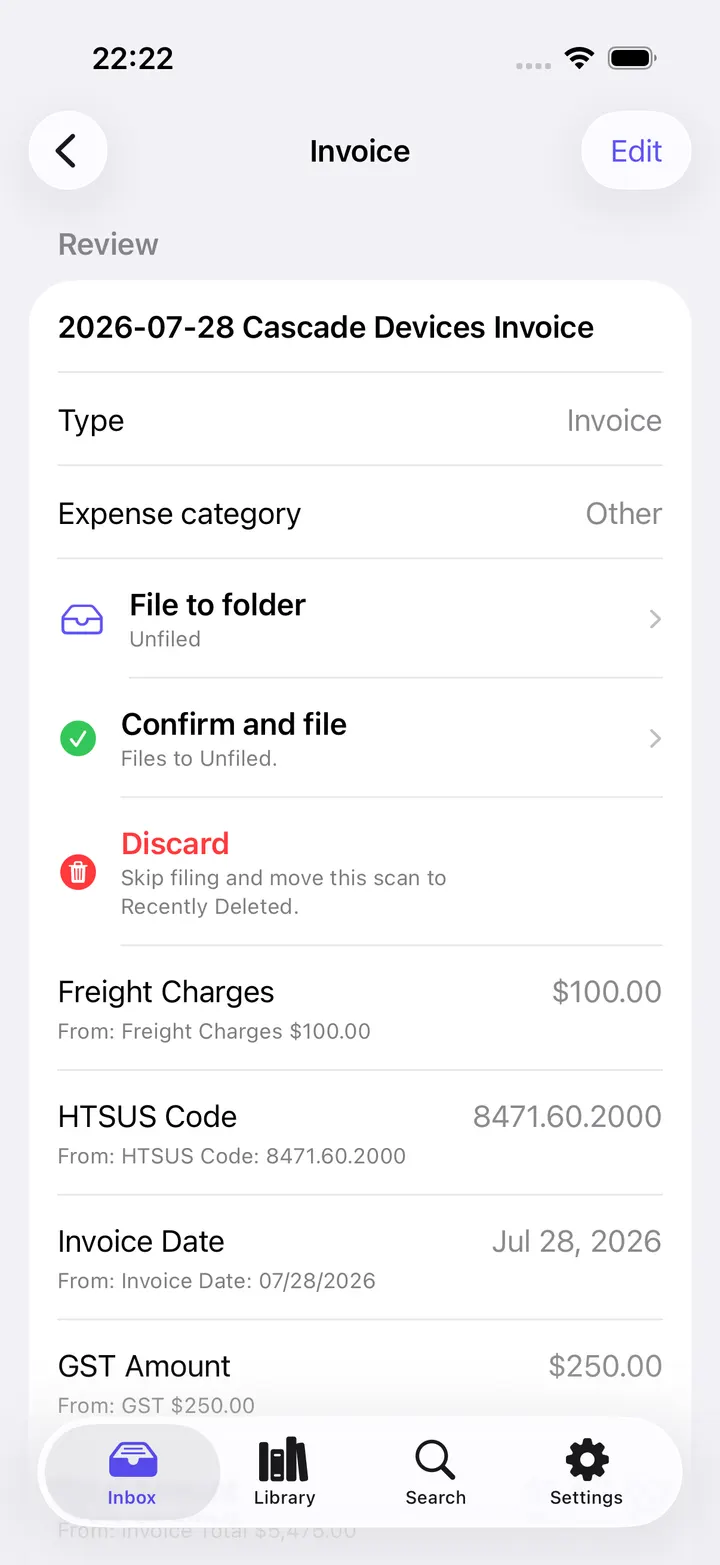
ScanMind keeps recognition separate from confirmation. The review screen shows suggested fields and filing actions before a record becomes part of the library. This makes correction visible, but it does not remove the need to compare important values with the original document.
Primary sources used for this guide
- Apple Platform Security explains Apple platform protection and data-security boundaries.
- Apple's iPhone permission guide explains how users review and change app access to information.
- The published ScanMind privacy policy documents local storage, optional iCloud Drive sync, exports, and deletion.
Related ScanMind guides
Continue with the on-device OCR guide, printable scanning checklist, or supported recognition categories.
Published August 2, 2026 · Updated and reviewed August 9, 2026 by Mossuu Editorial.